
Add or Replace Objects on Photo Using AI
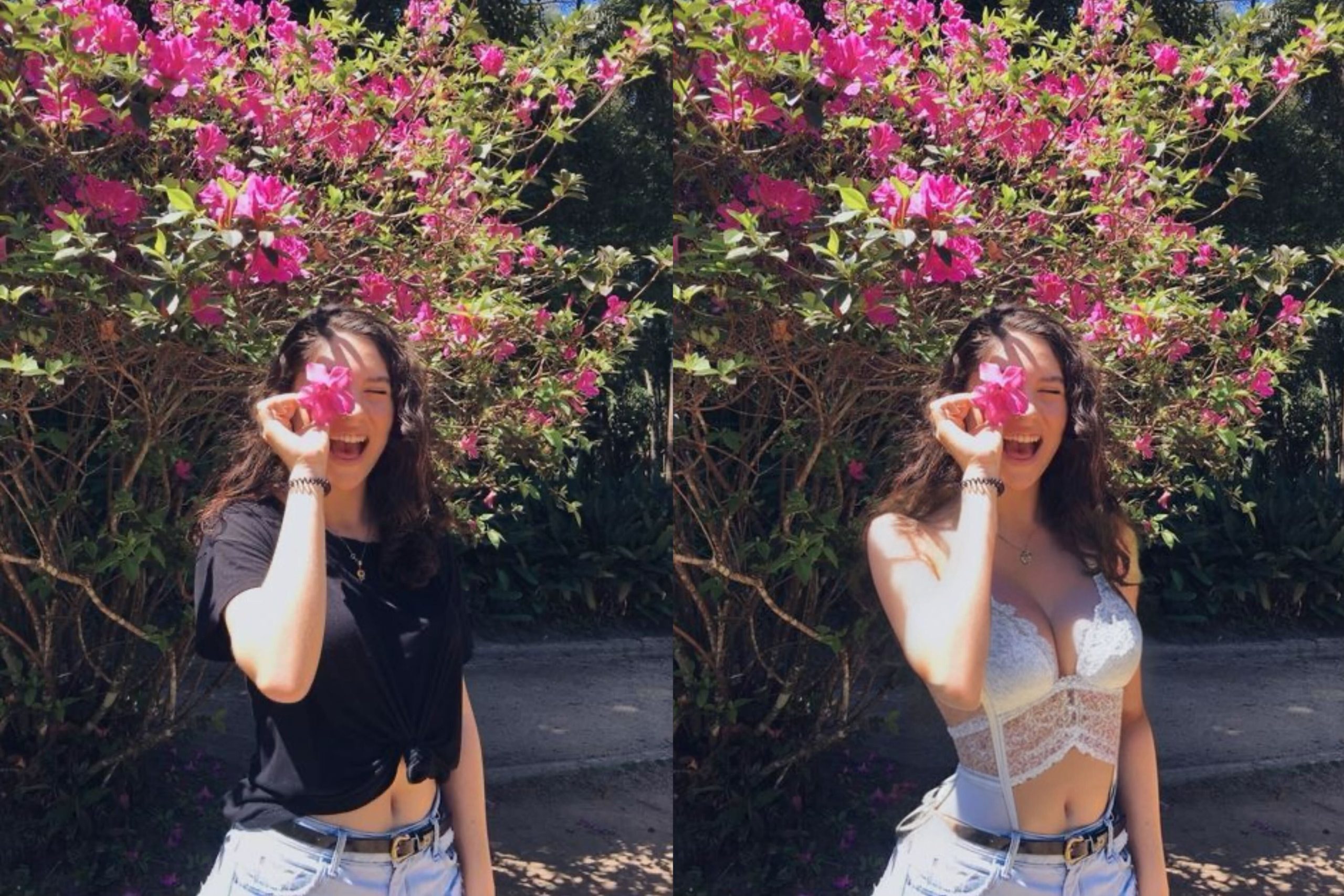
“Pics or it didn’t happen” is losing its meaning.
AI photo editing has become so advanced and effortless that images can no longer be taken at face value.
That’s where Sih.ai Photo Editor is all about.
It’s a super-easy online tool that uses of AI to help you add or replace things in your pictures.
You simply brush an area on the photo and describe what you need.
No fancy skills or hefty fees needed and no need to watch hours of YouTube tutorials.
Let’s dive into this next generation tool and see why it’s a game-changer for photo editing.
The easiest way to add objects to a photo
Sih.ai offers a straightforward process that anyone can master:
1. Upload Your Photo: Start by uploading the image you want to edit. Sih.ai accepts a wide range of formats, making it easy for you to get started.
2. Brush It In: Select the area where you want to add or replace objects using the brush tool.
NB: leave room for natural blending and make the brushing area little bigger than the object.
3. Add Your Text Prompt: This is where the magic happens. Sih.ai uses the text prompt you provide to understand your vision.
Describe what you want, and let the AI do the heavy lifting.
4. Generate: Sit back as Sih.ai
generates stunning results based on your instructions. The AI-powered algorithms work swiftly to transform your image.
5. Download or Refine: Once you’re satisfied with the initial result, you can download your edited image instantly.
If you want to make further improvements, you can refine more areas until it’s perfect. Simply brush over the affected areas and generate again.
7 Creative Ideas for AI Photo Manipulation
Remove Unwanted Elements: Get rid of distracting or unsightly objects, like people, graffiti, dust or clutter and make your image cleaner.