
Remove Anything from Photos — With a Brush
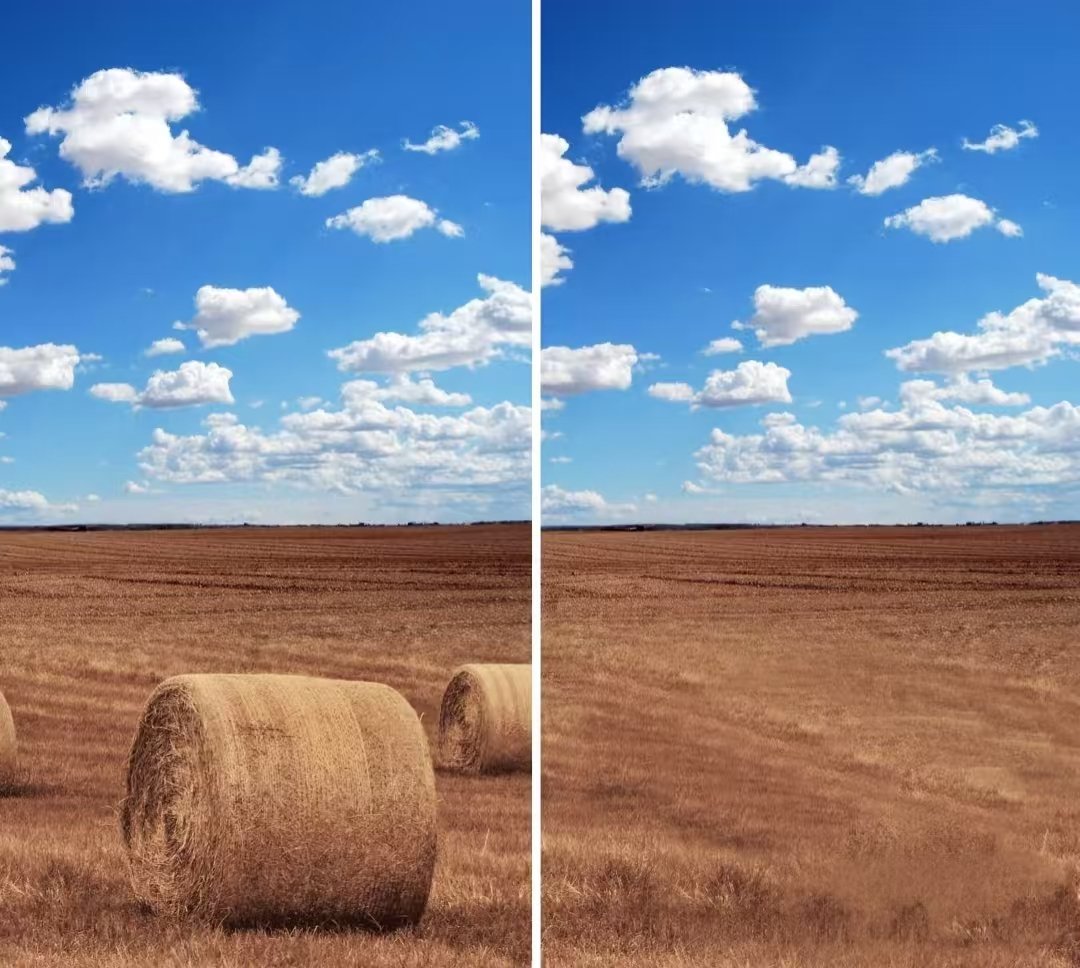
Say Goodbye to Unwanted Objects — No Photoshop Needed
Ever taken a perfect photo —
only to notice something ruined it?
Maybe there’s a random person in the background.
How about that random trash can hanging out right beside you?
Or maybe your room just looks a little too messy for the shot.
You thought:
“I wish I could just… erase that.”
Well, now you can.
With Sih.AI AI Photo Editor, you can easily remove any unwanted object, person, or detail from your photo — with just a simple brush tool.
No Photoshop.
No complicated tools.
No editing skills.
Just paint over what you don’t want — and watch it disappear.
What Is the AI Eraser Tool?
The AI Eraser in Sih.AI is an intelligent object removal tool that lets you delete unwanted parts of your photo — and automatically fills in the background so it looks natural.
You don’t need to:
- Use complex selection tools
- Clone or patch manually
- Match lighting or textures yourself
Just brush over what you want to remove, like:
- A random person in the background
- A distracting object in your frame
- A stain on your shirt
- A pimple or blemish on your face
And click Generate.
In seconds, the AI removes it — and blends the background perfectly.
How to Erase Anything from Your Photo
It’s super easy. Here’s how:
- Go to Sih.AI AI Photo Editor
- Upload your image — any photo, any background
- Select the Eraser Tool
- Paint over what you want to remove
- Click Generate
- Wait a few seconds — and boom! The object is gone, and your photo looks clean and natural
Want to remove something else?
Just keep painting and generating — it’s that simple.
Why Use Sih.AI Instead of Photoshop or Other Tools?
Removing objects manually is hard.
You have to:
- Carefully select the object
- Clone or patch the background
- Match lighting, colors, and texture
- Make sure it still looks realistic
One wrong move and it looks fake.
With Sih.AI, you skip all that hassle.
The AI handles the background blending — giving you clean, realistic results that look like the object was never there.
And the best part?
No downloads. No apps. No complicated tools.
Just a browser and a photo.
Who’s It For?
The AI Eraser Tool is perfect for:
- Social media creators who want clean, distraction-free visuals
- Travelers who want to remove crowds or signs from their shots
- For e-commerce sellers looking to polish their product shots
- Or anyone who wants to smooth out skin, hide blemishes, or look a little more camera-ready
- Anyone who just wants their photos to look perfect
- Even if you’re just having fun — this tool is seriously satisfying to use.
Want to Make Anything Disappear From Your Photo?
Now you can — with just a brush.
No credit card needed, no downloads — just upload, erase, and generate.
Try it now with a prompt like:
- “Remove the person in the background”
- “Erase the sign on the wall”
- “Delete the stain on my shirt”
- “Clean up this photo and remove all distractions”
… and watch the unwanted parts vanish like magic.